On-access monitoring
The driver intercepts files and applies policy decisions before ordinary use.
File protection
FileWall is a document-protection platform for Windows. It intercepts files on access or acquires them through the scanner, analyzes them, and uses Content Disarm and Reconstruction to produce sanitized copies before active content reaches applications and users.
File protection
The driver, service, and CDR worker form a pipeline separate from the GUI. The system identifies the format, applies policy, removes active content or unnecessary structures, and verifies the reconstructed output. FileWall is a preventive layer specialized in document content; it does not replace every antimalware technology.
The driver intercepts files and applies policy decisions before ordinary use.
Analyzes folders and subfolders manually or runs scheduled scans through the service.
Recodes images, cleans PDFs and Open XML files, and rebuilds ZIPs with zip-bomb and path-traversal limits.
Compatibility, Protection, and Maximum Security profiles govern cache, timeouts, retries, and unsupported files.
Indexes verified outputs to avoid duplicate work and supports opening, regenerating, or deleting copies.
Separates problematic originals and records events, outcomes, paths, queues, and exportable artifacts.
Technical deep dive
Content Disarm and Reconstruction is a preventive technique: the file is identified by its content, decomposed according to its structure, stripped of disallowed elements, and rebuilt as a new copy. It does not depend on prior knowledge of a specific malware sample.
FileWall pipeline
The driver detects access or the scanner acquires the file and creates a request for the service.
The service evaluates mode, timeout, cache state, and fail-closed behavior before starting work.
The worker validates signatures and internal structure rather than trusting only the extension or declared Content-Type.
A format-specific sanitizer preserves allowed content, removes or neutralizes active elements, and produces a new file.
Output, path, and structure are checked; hashes, outcome, and findings are recorded, and a valid copy can be indexed in cache.
What CDR does
CDR reduces attack surface by transforming a document into a controlled representation. Fidelity depends on the format and selected profile: stronger security may remove macros, embedded objects, metadata, forms, or interactivity.
Can neutralize active content even when it does not yet match a known malware signature.
The original is never confused with the reconstructed copy; cache and quarantine retain distinct paths and states.
Malformed, unsupported, expired, or unverifiable files can be blocked instead of delivered unchanged.
Outcome, detected format, hashes, timing, removed elements, and warnings remain available for review and reporting.
| File class | Transformation | Result |
|---|---|---|
| Images · JPG, PNG, BMP, GIF, TIFF, and decodable formats | Decode and re-encode pixels; remove metadata and data unrelated to the visual representation. | A new audited PNG image. |
| Rasterize pages with PDFium; scripts, attachments, forms, and active objects are not carried over. | An image-only PDF that preserves visual rendering, not interactivity. | |
| Office Open XML · DOCX/XLSX/PPTX and macro-enabled variants | Rebuild the package while removing macros, OLE, ActiveX, and disallowed external relationships. | A verified new Open XML package; some advanced functionality may be lost. |
| ZIP | Controlled recursive extraction, path-traversal and decompression-bomb defenses, entry sanitization, and recompression. | A new archive only when all required entries pass policy. |
| Text, CSV/TSV, HTML, and RTF | Inert normalization, spreadsheet-formula neutralization, and active-content removal or conversion to safe text. | Rebuilt textual content without active execution. |
| HTA, CHM, and legacy Office | Analyze active content and produce a safe textual representation; functional equivalence is not promised. | Inert output for review and analysis. |
| EXE, DLL, SYS, scripts, and unsupported archives | Not sanitized as documents. | Block, quarantine, or route to Isolation according to policy. |
A CDR copy is the result of a controlled transformation, not a certification that the original is malware-free. Success depends on format, file integrity, available components, and policy.
Real interface
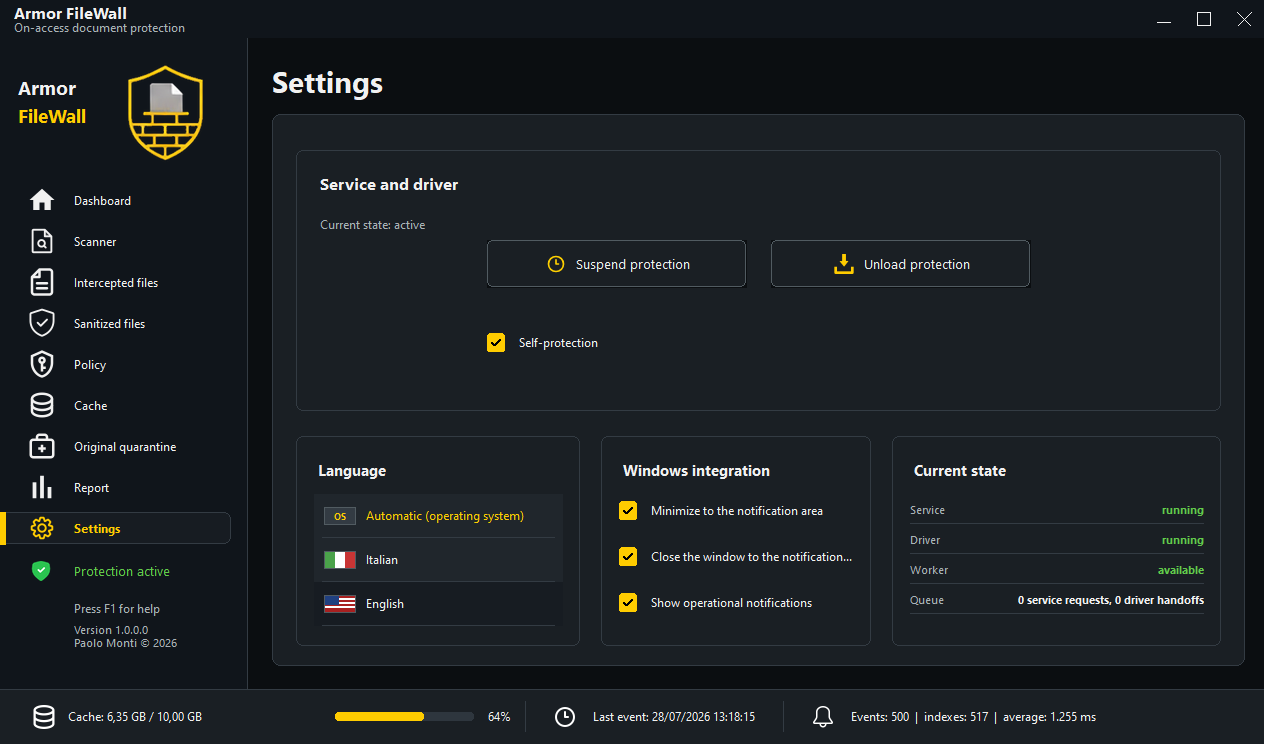
Component status, intercepted files, sanitized copies, queue, and sanitization details remain visible in one operational workspace.
File protection